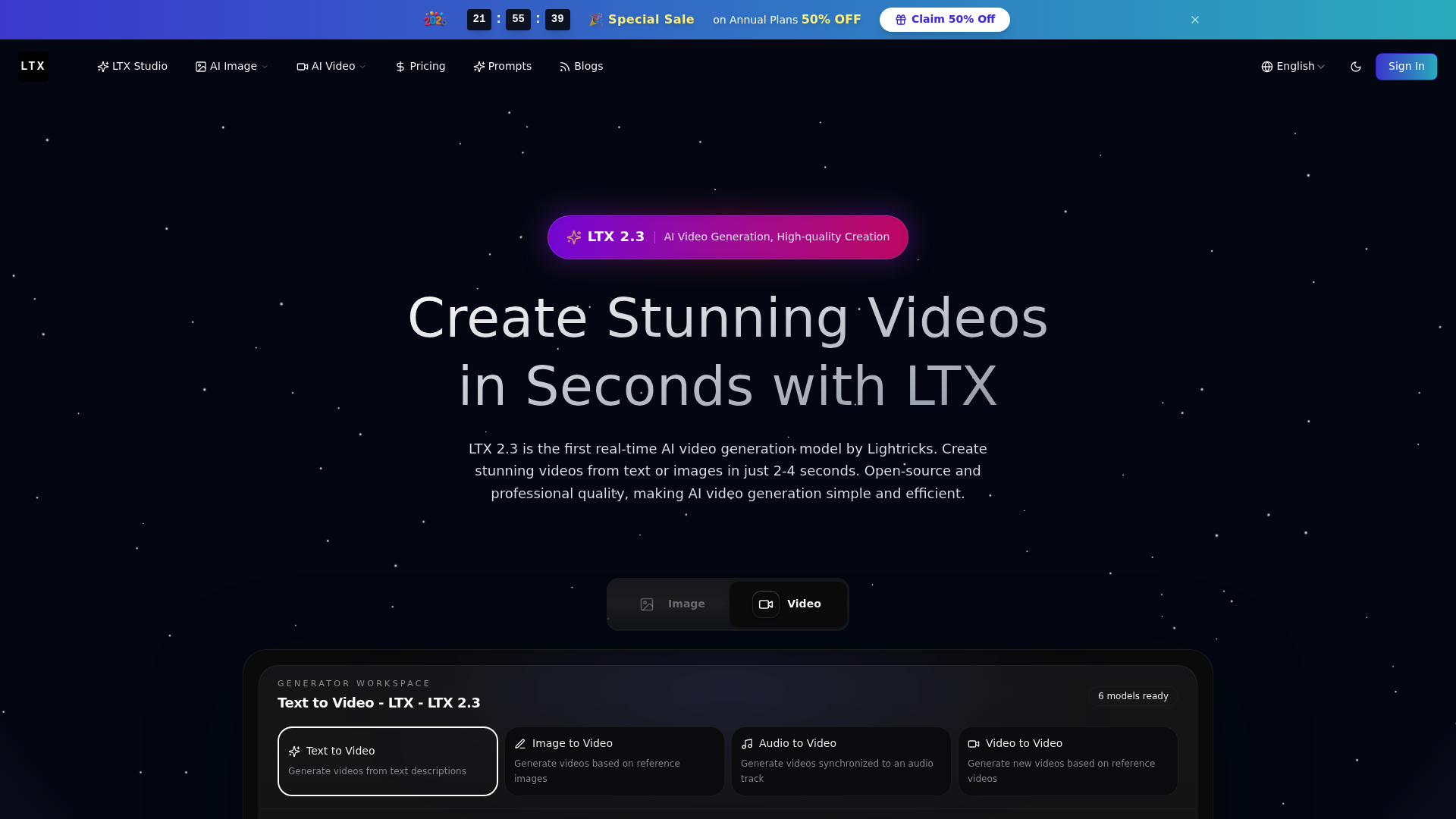
What is ltx
ltx is an ai video generation platform designed to help creators turn text prompts, images, audio, and existing videos into polished visual content. It focuses on speed, flexibility, and professional creative workflows, making it useful for users who want to produce videos quickly without relying on traditional editing tools.
In the ai video generation space, ltx stands out because it is positioned around real-time creation. Instead of waiting a long time for each experiment, users can generate, preview, revise, and iterate faster. This makes ltx especially useful for marketers, designers, social media creators, filmmakers, AI artists, and teams that need to test many visual ideas before choosing a final direction.
ltx is not only a single ai video generation model. It is also presented as part of a broader creative workstation where users can combine video models, image models, enhancement tools, and editing workflows. For creators who want one place to handle text-to-video, image-to-video, video transformation, and AI-assisted visual production, ltx offers a practical starting point.
Core features of ltx
One of the core strengths of ltx is text-to-video ai video generation. Users can describe a scene, action, camera movement, character, or visual style, then generate a video from that prompt. This is useful for concept videos, storyboards, product teasers, short social clips, and creative experiments.
ltx also supports image-to-video workflows. A user can start from a reference image and use ai video generation to animate it, extend its mood, or transform it into a moving scene. This is valuable for artists, photographers, e-commerce sellers, and content creators who already have strong images but want to turn them into engaging video assets.
Another important feature is video-to-video transformation. This allows users to use an existing video as the base and generate a new version with different style, motion, or visual direction. For teams that need rapid content variation, this type of ai video generation can reduce repetitive manual editing work.
ltx also highlights audio-to-video and synchronized video workflows. For creators working with music, voice, or sound-driven content, ai video generation can help produce visuals that feel more connected to the audio experience.
The platform emphasizes high-resolution output options, including professional video settings such as 1080p, frame rate control, and duration settings. These controls matter because ai video generation is not only about creating something visually impressive; it is also about producing assets that are suitable for real publishing channels.
ltx is also built around a multi-model creative ecosystem. Besides the LTX model itself, the broader workstation concept includes access to other video and image models. This helps users choose the right tool for different tasks, whether they need fast ai video generation, high-quality image creation, image enhancement, background removal, or style-focused visual editing.
Use cases of ltx
ltx can be used in many real-world creative workflows. For social media creators, ai video generation helps produce short videos for TikTok, Instagram Reels, YouTube Shorts, and X posts. Instead of hiring a production team for every idea, a creator can test multiple concepts quickly and publish the best version.
Marketing teams can use ltx to create product launch videos, campaign visuals, ad variations, and brand storytelling clips. For example, a small e-commerce brand selling outdoor gear could upload a product image, describe a mountain camping scene, and use ai video generation to create a short promotional video with cinematic movement and atmosphere.
Designers and illustrators can use ltx to bring static artwork to life. An illustrator might create a fantasy character poster, then use image-to-video ai video generation to add flowing hair, moving light, drifting smoke, or subtle camera motion. This makes portfolio pieces, client presentations, and social posts more dynamic.
Freelancers can also benefit from ltx. A freelance video editor, for example, could use ai video generation to create draft scenes, visual references, moodboards, or quick variations for clients. This helps speed up communication and makes it easier to align on creative direction before doing deeper editing.
Filmmakers and storytellers can use ltx for previsualization. Instead of describing a scene only with words, they can generate rough cinematic clips to test framing, lighting, motion, and emotional tone. In this case, ai video generation becomes a planning tool as well as a production tool.
How to use ltx
To start using ltx, visit the official tool page and create an account if required. After logging in, choose the ai video generation workflow that best matches your goal. Common options include text-to-video, image-to-video, audio-to-video, and video-to-video.
For text-to-video, write a clear prompt that describes the subject, action, setting, camera movement, style, and mood. The more specific the prompt, the easier it is for the ai video generation model to understand the intended result.
For image-to-video, upload a reference image and select the video mode or style you want. You can then adjust parameters such as duration, resolution, model version, generation speed, or other available settings. This helps you control whether the final result should look cinematic, realistic, stylized, dramatic, or suitable for social media.
After generating the first result, review the output carefully. Good ai video generation usually improves through iteration. Try refining the prompt, changing the motion description, adjusting the visual style, or testing another model if the first output is not ideal.
When the result is ready, export the video and use it in your creative project. Advanced users can also explore presets, model options, workflow settings, documentation, or integration features to make ltx part of a repeatable ai video generation pipeline.
Advantages of ltx
The biggest advantage of ltx is speed. Many ai video generation tools require users to wait through slow rendering cycles, but ltx is positioned around real-time or near-real-time creation. Faster generation means users can test more ideas, compare more outputs, and improve final results with less friction.
Another advantage is workflow flexibility. ltx supports multiple types of ai video generation, including text-to-video, image-to-video, audio-to-video, and video-to-video. This gives creators more freedom than a tool that only supports one input type.
ltx also focuses on professional quality. In ai video generation, quality is not only about sharp images. It also includes smooth motion, temporal consistency, stable characters, coherent scenes, and natural transitions. These details are important for videos that need to look credible in marketing, storytelling, or client-facing work.
The broader ltx ecosystem is another benefit. By combining different video models, image models, enhancement tools, and background removal features, users can build a more complete creative workflow. This makes ltx useful not only for generating video but also for preparing assets, improving visuals, and adapting content for different platforms.
Cost structure can also be an advantage for users who want to experiment before committing heavily. A credit-based model allows creators to test ai video generation without necessarily buying a large production setup. Free starting credits, subscriptions, and one-time credit packs give different types of users more control over how they spend.
For beginners, ltx offers a simpler path into ai video generation. Users do not need deep technical skills to start. They can enter a prompt, upload an image, choose a model, and generate a video. For advanced users, custom parameters and model choices create more room for experimentation.
Pricing structure of ltx
ltx uses a credit-based pricing structure for ai video generation and related creative tasks. This means users spend credits when they generate videos, create images, enhance visuals, or use supported models. Credit-based pricing is useful because it connects cost to actual usage rather than forcing every user into the same fixed plan.
The platform offers subscription plans for users who create regularly. A Starter plan is suitable for beginners or casual creators who want to explore ai video generation with a monthly credit allowance. A Pro plan is better for creators, marketers, and freelancers who need more credits, faster generation, broader model access, and higher production volume. An Ultimate plan is designed for power users and teams that need larger monthly capacity, priority speed, and more advanced support.
ltx also offers one-time credit packs. These are useful for users who do not want a recurring subscription but still need ai video generation for a specific campaign, client project, or creative experiment. Credit packs are especially practical for freelancers, small teams, or occasional users who prefer flexible spending.
There may also be free starting credits, allowing new users to test the ai video generation workflow before choosing a paid plan. In general, free access is best for exploration, subscriptions are best for consistent production, and credit packs are best for project-based usage.
FAQs about ltx
What is ltx used for? ltx is used for ai video generation, including text-to-video, image-to-video, audio-to-video, and video-to-video creation. It helps users create short videos, cinematic clips, social content, concept visuals, and marketing assets.
Is ltx free to use? ltx may offer free starting credits so new users can test ai video generation before upgrading. For larger usage, users can choose subscription plans or one-time credit packs.
What makes ltx different from other ai video generation tools? ltx focuses on fast generation, flexible workflows, professional visual quality, and access to a multi-model creative ecosystem. This makes it useful for both quick experiments and more serious production work.
Are there usage limits in ltx? Usage is generally tied to credits. Each ai video generation task consumes credits depending on the selected model, resolution, duration, and generation settings.
Can I use ltx for commercial projects? ltx is positioned for commercial creative workflows, including marketing, business content, social media, client work, and professional ai video generation projects. Users should still review the current license and usage terms before publishing commercial work.
Does ltx require technical skills? No. Beginners can start with prompts and simple uploads, while advanced creators can explore parameters, model choices, and workflow options for more controlled ai video generation.