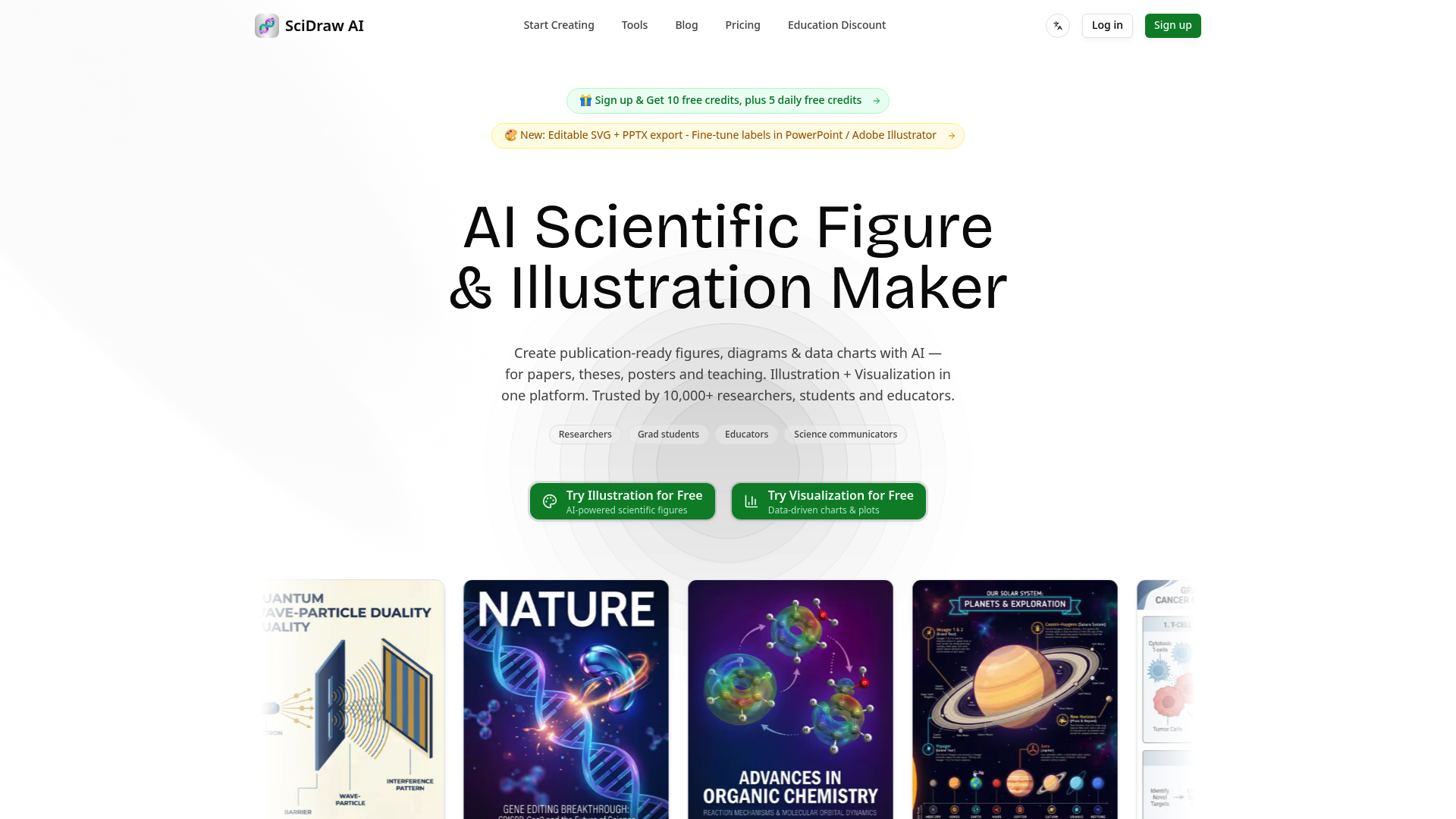
What is SciDraw AI
SciDraw AI is an AI scientific figure maker designed for researchers, graduate students, educators, and science communicators. Instead of building every diagram manually in PowerPoint or hiring a specialist for each illustration, users can describe a scientific concept and let SciDraw AI generate a polished visual draft. The platform focuses on publication-ready scientific diagrams, graphical abstracts, journal covers, research workflows, teaching illustrations, and data-driven charts.
The main value of SciDraw AI is that it combines scientific illustration and data visualization in one workspace. It can help turn complex ideas such as molecular pathways, immune responses, geological structures, quantum concepts, or experimental workflows into visuals that are easier to understand. SciDraw AI is especially useful when a paper, thesis, poster, lecture, or grant proposal needs clear graphics but the creator has limited design time or technical illustration experience.
Core features of SciDraw AI
SciDraw AI includes several tools for creating, refining, and exporting scientific visuals:
-
Text-to-image scientific illustration: Users can describe a concept in plain language, and SciDraw AI produces a professional scientific illustration. This is useful for mechanism diagrams, textbook figures, graphical abstracts, journal-cover concepts, and science communication graphics.
-
Sketch and image editing: A rough sketch, reference image, or existing draft can be uploaded and transformed into a cleaner result. SciDraw AI supports multi-round refinement, allowing users to request changes to labels, colors, layout, objects, or visual emphasis.
-
Multiple generation modes: SciDraw AI provides different AI generation modes for varied creative needs. Users can choose an approach that suits a schematic diagram, a polished scientific illustration, or a more visually expressive research graphic.
-
Smart data visualization: Researchers can upload CSV or Excel data and use SciDraw AI as an AI data visualization tool. It can generate publication-ready box plots, violin plots, scatter plots, heatmaps, regression charts, and other common research figures.
-
Journal-style presets: SciDraw AI offers presets inspired by publication standards associated with journals and publishers such as Nature, Science, Cell, PLOS, and ACS. These presets help users create more consistent spacing, typography, and chart presentation.
-
Editable SVG and PPTX export: SciDraw AI can export vector SVG files for further editing in Illustrator, Inkscape, or Figma. It can also export editable PPTX files so users can adjust labels and presentation elements directly in PowerPoint.
-
Multiple output formats: Data charts can be exported in formats such as PNG, PDF, EPS, and TIFF. This makes SciDraw AI suitable for journal submissions, posters, presentations, classroom materials, and print workflows.
-
Templates and visual styles: SciDraw AI includes templates for graphical abstracts, workflows, mechanisms, pathways, journal covers, cells, and textbook illustrations. Available styles include flat, schematic, 3D, photorealistic, and other scientific illustration formats.
Use cases of SciDraw AI
SciDraw AI is built for academic and educational workflows rather than general-purpose image enhancement. Researchers can use it to create a graphical abstract, visualize an experimental method, explain a molecular mechanism, or prepare figures for a manuscript. Graduate students can use SciDraw AI to maintain a consistent visual style across thesis chapters, posters, and defense slides.
Educators can generate labeled cell diagrams, food webs, photosynthesis illustrations, DNA diagrams, or geological cross-sections for lessons and handouts. Science communicators can use SciDraw AI to convert dense research topics into accessible infographics for newsletters, articles, presentations, and social media.
For example, a molecular biology researcher could describe a signaling pathway, generate an initial diagram with SciDraw AI, refine the proteins and arrows through follow-up instructions, and export the result as SVG for final label adjustments. This workflow can reduce the time spent rebuilding complex pathways from individual shapes.
In another example, a lecturer could use SciDraw AI to create a labeled plant-cell cross-section for a classroom slide. The lecturer could then export the illustration as PPTX, correct terminology, move labels, and adapt the figure for different student levels. These practical editing options make SciDraw AI more useful than a basic image generator.
How to use SciDraw AI
-
Create an account. New users can register and receive introductory credits. SciDraw AI also provides daily free credits, making it possible to test the workflow before choosing a paid plan.
-
Choose a creation method. Start with a text description, select a template, upload a sketch, edit an existing image, or import research data. SciDraw AI supports both illustration and visualization workflows.
-
Describe the desired output. Include the scientific topic, important objects, labels, relationships, visual style, and intended use. A precise prompt helps SciDraw AI generate a more relevant first draft.
-
Generate and review the result. Check scientific accuracy, terminology, label placement, arrow direction, scale, and visual hierarchy. AI-generated scientific figures should always be reviewed by someone familiar with the subject.
-
Refine through follow-up instructions. Ask SciDraw AI to adjust colors, simplify a section, move labels, add missing elements, or make the layout more suitable for a paper, poster, or lecture.
-
Export in the required format. Download a raster image, data-chart format, SVG vector file, or editable PPTX. Advanced users can continue editing the SciDraw AI output in their preferred design or presentation software.
New users should begin with a simple figure and gradually explore journal presets, advanced editing, templates, data visualization, and vector export. This approach makes it easier to understand which SciDraw AI workflow best matches a specific research task.
Advantages of SciDraw AI
A major advantage of SciDraw AI is its scientific focus. General AI image tools may create attractive pictures, but they often lack the structure needed for research diagrams, labeled educational figures, or journal-ready charts. SciDraw AI is organized around scientific communication, making its templates and export options more relevant to academic users.
Speed is another benefit. A researcher can move from an idea or rough sketch to an editable visual draft without manually drawing every element. SciDraw AI states that it can significantly reduce illustration time, although the final result still requires expert review for scientific accuracy.
Editable output is one of the strongest practical features. SVG export supports lossless scaling and detailed vector editing, while PPTX export allows users to modify text labels in PowerPoint. This gives SciDraw AI an advantage over tools that provide only a flattened PNG image.
The platform also lowers the entry barrier for users without design training. Its conversational workflow, templates, and visual presets help beginners produce clearer graphics. At the same time, experienced users can treat SciDraw AI as a starting point and complete final adjustments in professional software.
Cost flexibility is another advantage. SciDraw AI offers free credits, recurring subscription plans, and higher-volume options. Users can test the AI scientific illustration generator before committing to a paid plan, while laboratories and organizations can choose larger credit packages.
Pricing structure of SciDraw AI
SciDraw AI uses a credit-based freemium model. The free plan costs $0 and includes 10 credits after registration plus 5 free credits each day. It also includes professional templates, several visual styles, 30-day history retention, SVG vector conversion, and permission for journal publication or commercial use under the stated plan terms.
The Standard plan is listed at $10 per month with yearly billing and provides 300 credits per month, estimated at about 60 images. It adds all AI generation modes, permanent history retention, priority support, and faster generation.
The Premium plan is listed at $20 per month with yearly billing and includes 800 monthly credits, estimated at about 160 images. The Enterprise plan is listed at $40 per month with yearly billing and includes 2,000 monthly credits, estimated at about 400 images, along with a dedicated account manager and higher generation speed.
Because SciDraw AI charges through credits, the best plan depends on image complexity, revision frequency, and monthly output volume. Individual students may be able to begin with free credits, while active researchers, laboratories, educators, and science-content teams may benefit from a paid SciDraw AI subscription.
FAQs about SciDraw AI
What is SciDraw AI used for?
SciDraw AI is used to create scientific illustrations, graphical abstracts, research figures, data charts, journal-cover concepts, thesis visuals, posters, and classroom diagrams.
Is SciDraw AI free to use?
Yes. SciDraw AI offers a free plan with signup credits and daily free credits. Paid plans provide more monthly credits, faster generation, longer history retention, and additional support.
Can SciDraw AI create editable scientific figures?
Yes. SciDraw AI supports editable SVG and PPTX export. Users can refine vector graphics in design software or modify text labels and slide elements in PowerPoint.
Can I use SciDraw AI for journal or commercial projects?
The listed plans state that SciDraw AI outputs can be used for journal publication and commercial purposes. Users should still review the current license terms and confirm that every figure is scientifically accurate and appropriate for its intended publication.
Does SciDraw AI support research data charts?
Yes. SciDraw AI can turn CSV or Excel data into common research visualizations, including scatter plots, heatmaps, box plots, violin plots, regression charts, and other publication-ready figures.
Does SciDraw AI require design or coding skills?
No advanced design or coding skills are required for the main workflow. SciDraw AI uses text instructions, templates, visual editing, and export tools, although subject expertise is still necessary to verify scientific content.