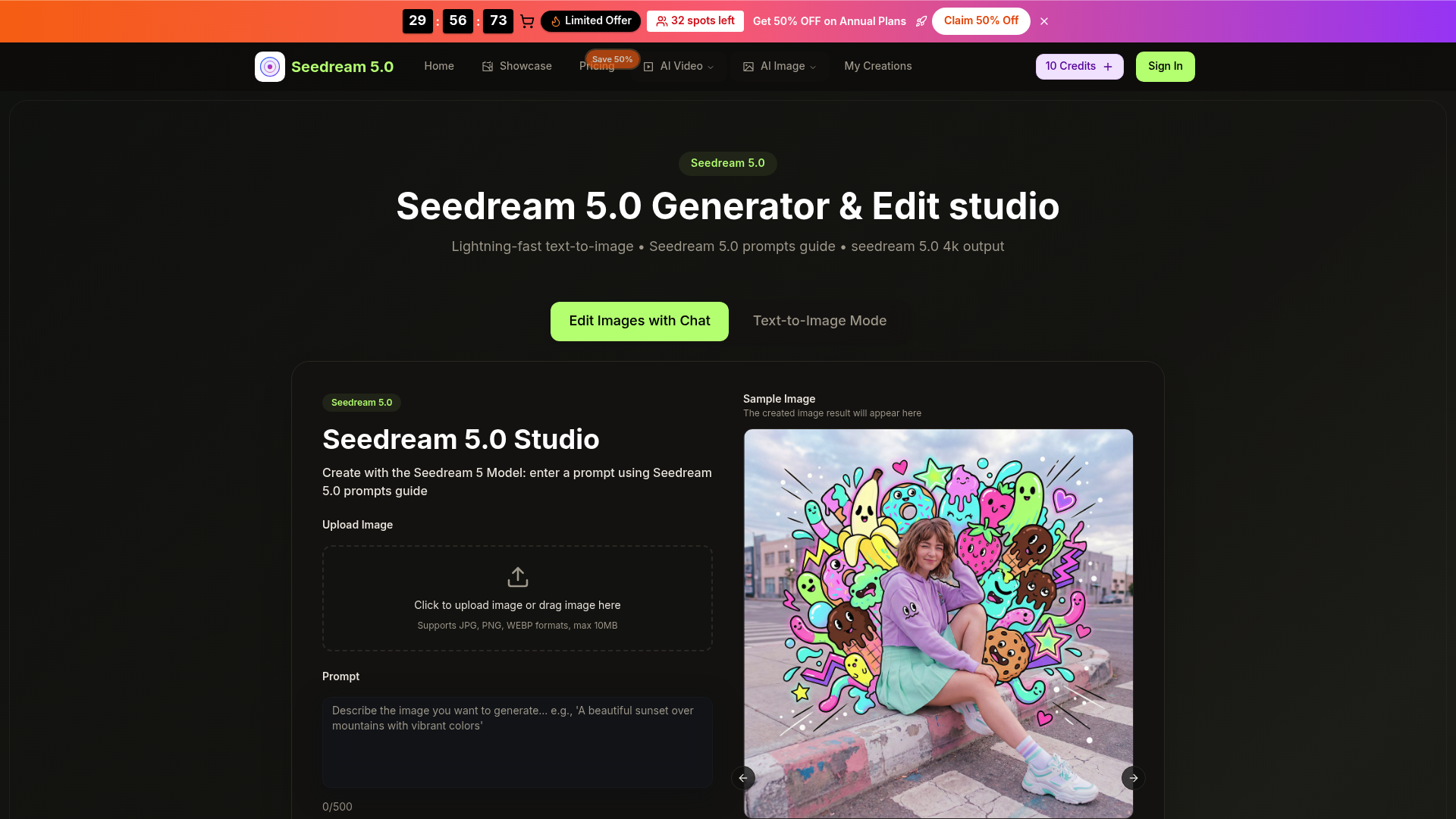
seedream5 ai: 4K AI Image Generator & Editor

seedream5 ai is a fast 4K AI image generator and editor that turns text or photos into consistent, high-quality visuals in seconds for creators and brands.

  Visit Website
seedream5 ai: 4K AI Image Generator & Editor

Introduction

What is seedream5ai

seedream5ai is a browser-based AI image studio built around the latest Seedream 5.0 model. In simple terms, seedream5 ai takes your text prompts or uploaded photos and turns them into crisp, detailed 4K visuals in a few seconds. It combines text-to-image generation, image editing and upscaling in one streamlined workspace.

Instead of juggling multiple tools for background removal, retouching, style changes and resizing, seedream5 ai lets you do everything with natural language instructions. It is designed for creators, marketers, indie founders and e-commerce teams who need high-quality images quickly, without having to learn complex design software.

By using advanced models powered by ByteDance’s Seedream technology, seedream5 ai focuses on speed, quality and character consistency. That means you can build series of images with the same faces, products or brand look, all inside a single, intuitive interface.

Core features of seedream5ai

seedream5 ai combines several powerful capabilities that cover the full image workflow from idea to final export:

  • Lightning-fast text-to-image generation Type a prompt, choose an aspect ratio and style, then let seedream5 ai generate detailed images in roughly 15–30 seconds. The engine is optimized for rapid iteration, so you can explore multiple creative directions in minutes.

  • Native 2K generation with 4K upscaling seedream5 ai produces high-resolution outputs suited for web, print and campaigns. Images are generated in 2K resolution with one-click upscaling to 4K, giving you sharp, clean details without extra tools.

  • Natural language image editing You can upload an existing image and describe the changes you want in plain English. seedream5 ai understands instructions such as “soften the lighting,” “change the background to a modern office” or “make the colors more vibrant” and applies them intelligently.

  • Character consistency across images When you need the same character, model or mascot across many scenes, seedream5 ai helps keep the face, hair, clothing and overall style consistent. That’s ideal for comics, storyboards, brand characters and recurring social content.

  • Multi-image fusion and style transfer seedream5 ai can blend 2–9 images together, combining poses, backgrounds or design elements into one coherent result. It can also adopt styles like photorealistic, anime, painterly or cinematic, based on your prompts.

  • Background removal and swapping With seedream5 ai, you can quickly remove busy or distracting backgrounds and replace them with clean studio backdrops, lifestyle settings or thematic scenes, all at 4K quality.

  • Text and caption editing inside images Need to change the text on a label, poster or banner? seedream5 ai lets you edit or insert text while preserving realistic fonts, lighting and perspective.

  • Avatar and character creation From gaming avatars to profile images and brand mascots, seedream5 ai can turn simple descriptions into distinctive 4K characters that can be reused in campaigns, thumbnails and deck visuals.

Together, these features make seedream5 ai a complete AI image generator and editor, rather than just a one-off prompt toy.

Use cases of seedream5ai

seedream5 ai fits many creative workflows where high-quality visuals are essential but time and budget are limited.

  • E-commerce product imagery Online sellers can use seedream5 ai to generate clean product photos, lifestyle scenes and variant backgrounds. For example, a small brand can upload one basic product shot and use seedream5 ai to create consistent 4K images on different themed backdrops for seasonal campaigns.

  • Social media and content marketing Content creators can turn ideas into scroll-stopping visuals in minutes. A creator might plan a series of posts around a recurring character, and seedream5 ai helps maintain the same look while changing outfits, poses and locations to match each post’s topic.

  • Branding, ads and presentation decks Marketing teams can rapidly build hero images, campaign concepts, ad mockups and slide illustrations using seedream5 ai. Instead of waiting on long design cycles, they can validate ideas quickly and then refine the best concepts to final 4K quality.

  • Concept art and storytelling Illustrators and writers can storyboard scenes, locations and characters for comics, games or short stories. With seedream5 ai, they can keep characters consistent while experimenting with lighting, mood and composition.

  • Photo restoration and enhancement Old or damaged photos can be refreshed by seedream5 ai, which repairs blemishes, enhances details and boosts colors to modern 4K standards.

Designers, indie founders, freelancers, agencies and in-house marketing teams can all integrate seedream5 ai into their daily workflow to save time and upgrade visual quality.

How to use seedream5ai

Getting started with seedream5 ai is simple, even if you have never used an AI image tool before:

  1. Open the seedream5 ai studio Access the main generator and editor interface, where you can switch between text-to-image mode and image editing mode.

  2. Choose your mode

    • For new creations, select the text-to-image generator and prepare your prompt.
    • For editing, choose the image editing option in seedream5 ai and upload a JPG, PNG or WEBP file within the size limit.
  3. Write a detailed prompt or edit request Describe what you want: subject, composition, colors, lighting, mood and style. For example: “portrait of a young woman in a neon-lit city, cinematic lighting, ultra detailed, 4K” or “remove the background and place the product on a clean white studio surface.” The more specific you are, the better seedream5 ai can interpret your intent.

  4. Set aspect ratio and options Choose from common aspect ratios (1:1, 3:2, 16:9 and more) depending on where you plan to use the image. seedream5 ai lets you adjust quality settings and choose whether to generate without watermarks on eligible plans.

  5. Generate and review results Click generate and wait a few seconds while seedream5 ai processes your request. Scroll through the results, view them at full size and pick your favorites.

  6. Refine and iterate If something is close but not perfect, add extra detail to your prompt or ask for small edits like “warmer lighting,” “softer shadows” or “more vivid colors.” seedream5 ai supports fast iteration, so you can refine until the image matches your vision.

  7. Download and use your 4K images Finally, download your chosen images in high resolution for use in your store, campaigns, presentations or social media content.

As you get comfortable, you can explore more advanced workflows inside seedream5 ai, such as multi-image fusion, consistent character creation and 4K upscaling for print-ready assets.

Advantages of seedream5ai

seedream5 ai stands out from many other AI image tools thanks to a mix of speed, quality and workflow-focused design.

  • Speed and reliability seedream5 ai is tuned for fast turnaround, often returning high-quality results in about 15–30 seconds. That means you can generate dozens of variations in the time it used to take to brief a single design round.

  • 4K quality and detail The combination of native 2K generation and one-click 4K upscaling gives seedream5 ai an edge when you need images for ads, landing pages or print materials. Fine textures, lighting and facial details hold up even at larger sizes.

  • Consistent style and characters Many AI tools struggle with keeping the same character consistent across multiple images. seedream5 ai specifically emphasizes character and style consistency, which is critical for brand identity, storytelling and multi-post social campaigns.

  • Natural language workflow Instead of complex sliders or technical jargon, seedream5 ai relies on natural language prompts and editing commands. This makes it accessible to non-designers and busy marketers who just want to describe what they need and get results.

  • Commercial-friendly output With paid plans that include commercial use rights and watermark-free exports, seedream5 ai is suitable for agencies, freelancers and businesses that rely on visuals for revenue-generating projects.

  • Scalable for teams The credits system and different plan tiers allow teams to scale their usage as they grow. seedream5 ai is built to support both casual creators doing occasional projects and heavy users generating hundreds of images per month.

Overall, seedream5 ai focuses on being a dependable, everyday production tool rather than a one-time experiment, making it a practical choice for real-world creative work.

Pricing structure of seedream5ai

seedream5 ai uses a credit-based model with several subscription tiers, plus free starting credits so new users can test the tool before committing.

  • Free credits for new users New users receive a small bundle of free credits to experience text-to-image generation and image editing. Each seedream5 ai 4K creation consumes credits, so you can explore the workflow and quality before choosing a plan.

  • Basic yearly plan The Basic tier of seedream5 ai is designed for hobbyists and light users who generate a modest number of images each month. It provides a yearly pool of credits allocated monthly, enabling regular use at an affordable price.

  • Professional yearly plan For freelancers, active creators and small teams, the Professional plan increases the monthly credit allocation and supports more frequent seedream5 ai usage. It enables larger batches of images, more experiments and ongoing campaigns with consistent quality.

  • Enterprise yearly plan The Enterprise plan targets businesses and teams that rely on AI images for campaigns, product visuals and creative production. It offers the highest yearly credit pool, priority generation, watermark-free downloads, persistent image history and commercial-use licensing. This makes seedream5 ai suitable as a core asset pipeline for agencies and brands.

Because the pricing follows a transparent credits-per-year approach, it is easy to estimate how many seedream5 ai generations you can run each month and pick the plan that matches your workload.

FAQs about seedream5ai

1. What is seedream5ai used for? seedream5 ai is used to generate and edit images with AI, turning text prompts or uploaded photos into high-quality 4K visuals. It supports product photos, social media graphics, concept art, avatars, ads and more in a single studio.

2. Is seedream5ai free to use? seedream5 ai offers free starting credits so new users can try the generator and editor. For ongoing or heavy usage, paid plans provide larger credit pools, watermark-free exports and commercial-use rights.

3. What makes its seedream5 ai results better than other tools? The combination of fast generation, native 2K plus 4K upscaling, character consistency and multi-image fusion makes seedream5 ai stand out. It focuses on production-ready quality suitable for professional and commercial projects.

4. Are there any limits on how many images I can create? seedream5 ai operates on a credit system. Each generated or edited image consumes credits, and your plan defines how many credits you receive monthly or yearly. You can upgrade your plan if you need more capacity.

5. Can I use seedream5ai outputs for commercial projects? On eligible paid tiers, seedream5 ai includes a commercial license that allows you to use generated images in client work, ads, e-commerce listings and other revenue-generating projects. You should always check the specific license terms for your plan.

6. Do I need technical or design skills to use seedream5ai? No. seedream5 ai is built around natural language prompts and simple controls, so beginners can create impressive visuals by just describing what they want. Designers and advanced users can still fine-tune prompts and iterate for highly specific styles and compositions.