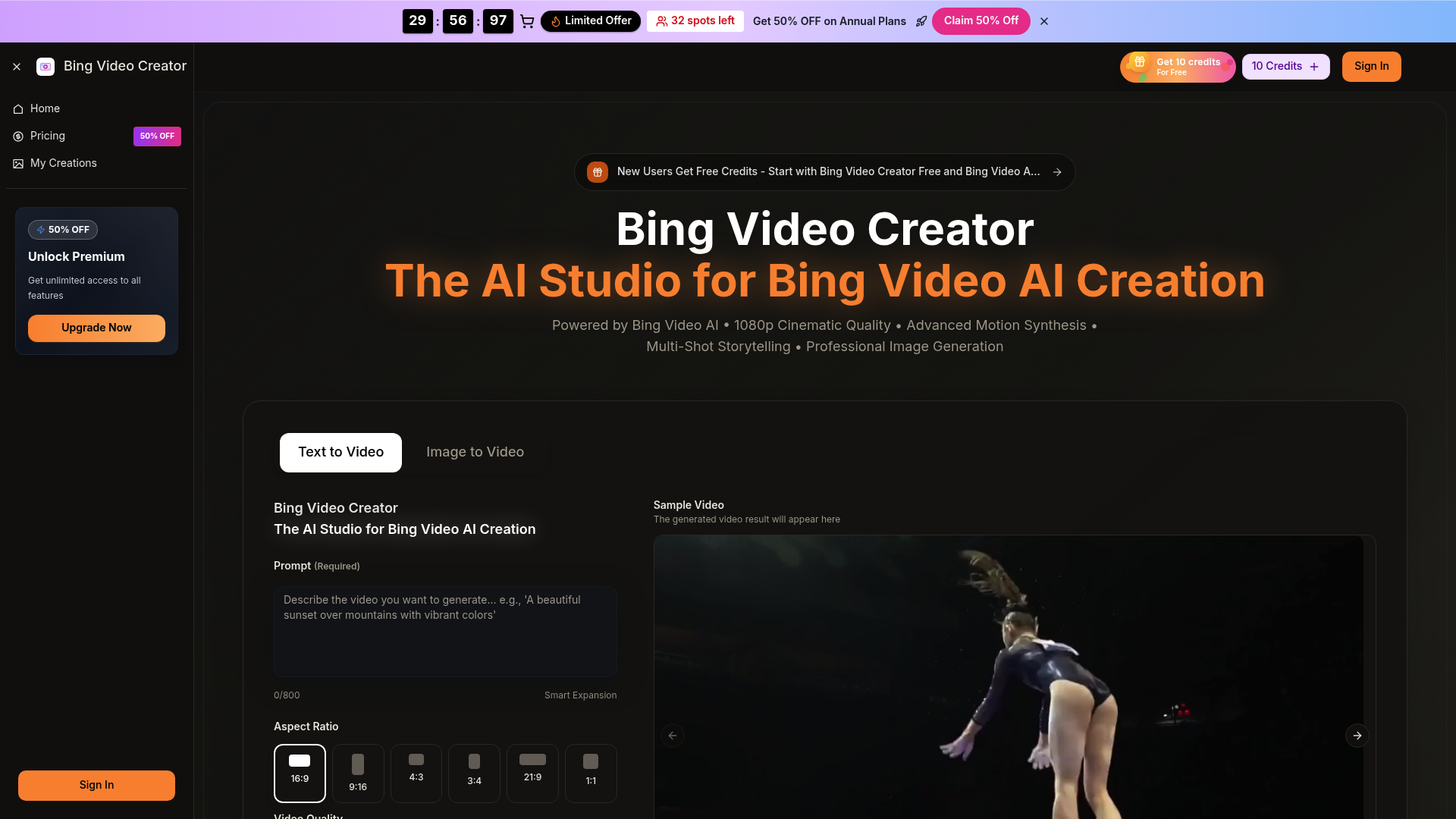
What is bingvideocreator
Bing video creator is a cutting-edge AI-powered studio designed to revolutionize how creators generate high-quality visual content. By leveraging the advanced Bing Video AI and Bing Video Model, this platform allows users to transform simple text prompts or static images into dynamic, professional-grade videos. Whether you are a social media influencer, a marketing professional, or a hobbyist, bing video creator provides the tools necessary to produce cinematic 1080p content without the need for expensive equipment or complex editing software.
As an all-in-one AI video generator, bing video creator addresses the growing demand for rapid content production. It bridges the gap between imagination and reality by using sophisticated motion synthesis. For anyone looking to scale their video output, bing video creator serves as an indispensable assistant that handles the technical heavy lifting of animation and rendering.
Core features of bingvideocreator
The power of bing video creator lies in its versatile feature set, built for both speed and precision:
- Multi-Model Access: Users of bing video creator can choose from various high-end models like Seedream, Veo 3, and Sora 2 to achieve specific visual styles.
- Text-to-Video & Image-to-Video: Simply describe a scene or upload a photo, and the bing video creator engine will animate it with realistic motion.
- 1080p Cinematic Quality: Unlike many basic AI tools, bing video creator prioritizes high-definition output, ensuring your videos look crisp on any screen.
- Advanced Motion Synthesis: The bing video creator algorithm understands physical nuances, allowing for smooth camera movements and natural character actions.
- Native Audio Generation: Create a full sensory experience with synchronized dialogue and ambient sound effects directly within the bing video creator interface.
Use cases of bingvideocreator
Bing video creator is a versatile tool applicable across numerous industries:
- Low-Cost Marketing: Marketing teams use bing video creator to turn creative briefs into campaign-ready advertisements in seconds, significantly reducing production costs.
- E-commerce Product Showcases: An online seller can take a single product photo and use bing video creator to generate a 360-degree cinematic reel with professional lighting.
- Social Media Content: Influencers rely on bing video creator to iterate on viral "hooks" and social clips, maintaining a high-frequency posting schedule without burning out.
- Prototyping & Pitching: Filmmakers and designers use bing video creator to create fast pre-visualizations of their scripts to show clients or investors a proof-of-concept.
How to use bingvideocreator
Getting started with bing video creator is straightforward and requires no technical background:
- Select Your Mode: Choose between the "Text to Video" or "Image to Video" tab on the bing video creator dashboard.
- Input Your Data: Enter a descriptive prompt (up to 800 characters) or upload the image you wish to animate into the bing video creator interface.
- Configure Settings: Pick your desired aspect ratio (such as 16:9 or 9:16), video quality (720p or 1080p), and duration.
- Generate and Refine: Click the generate button. In seconds, bing video creator will present a preview. If satisfied, you can download the high-resolution version or refine the prompt for a new iteration.
Advantages of bingvideocreator
What sets bing video creator apart from other AI tools is its focus on "client-ready" quality. While other platforms might produce jittery or surreal artifacts, bing video creator utilizes the Bing Video Model to maintain consistency across frames.
The speed of the bing video creator engine is another major advantage; rendering happens in near real-time, which is essential for rapid iteration. Furthermore, bing video creator offers commercial usage rights on its paid plans, giving businesses the peace of mind to use generated content in paid advertisements and monetization programs. The intuitive UI ensures that even a non-technical user can produce a professional result on their first try with bing video creator.
Pricing structure of bingvideocreator
Bing video creator offers a flexible pricing model to suit different needs:
- Free Trial: New users can start with bing video creator for free, receiving 10 initial credits to explore the platform's capabilities.
- Basic Plan: Ideal for hobbyists, offering 1,000 credits per month and a permanent history of your bing video creator projects.
- Professional Plan: Designed for serious creators, this plan provides 2,000 credits per month and access to advanced models like Veo 3 and Sora 2.
- Enterprise Plan: For teams requiring high-volume output, this plan allows for up to 600 videos per month with priority generation queues in the bing video creator pipeline.
FAQs about bingvideocreator
What is bing video creator used for? Bing video creator is used to generate high-quality AI videos from text descriptions or still images, perfect for ads, social media, and storytelling.
Is bing video creator free to use? Yes, you can start with bing video creator for free using trial credits. For higher volume and advanced features, subscription plans are available.
What makes the bing video creator results better? The platform uses the sophisticated Bing Video Model, which supports 1080p resolution and advanced motion synthesis for more realistic results.
Can I use bing video creator for commercial projects? Yes, the Basic, Pro, and Enterprise plans for bing video creator include a commercial use license.
Does bing video creator require technical skills? Not at all. Bing video creator is designed with a user-friendly interface that only requires a simple text prompt to produce professional videos.
Would you like me to help you refine a specific video prompt for the Bing Video Creator tool?