What is productivity calculator
A productivity calculator is a practical online tool that helps you understand how much of your workday was spent on meaningful output. Instead of guessing whether you had a productive day, this productivity calculator compares your total work time with your productive time and turns the result into a clear productivity rate and score.
The productivity calculator is useful for remote workers, students, freelancers, consultants, and anyone who wants a simple way to review daily focus. It can also help you plan a better finish time by using your start time, billable minutes, productivity target, and unpaid breaks. In this way, the productivity calculator works both as a daily productivity score tool and a workday planning calculator.
Core features of productivity calculator
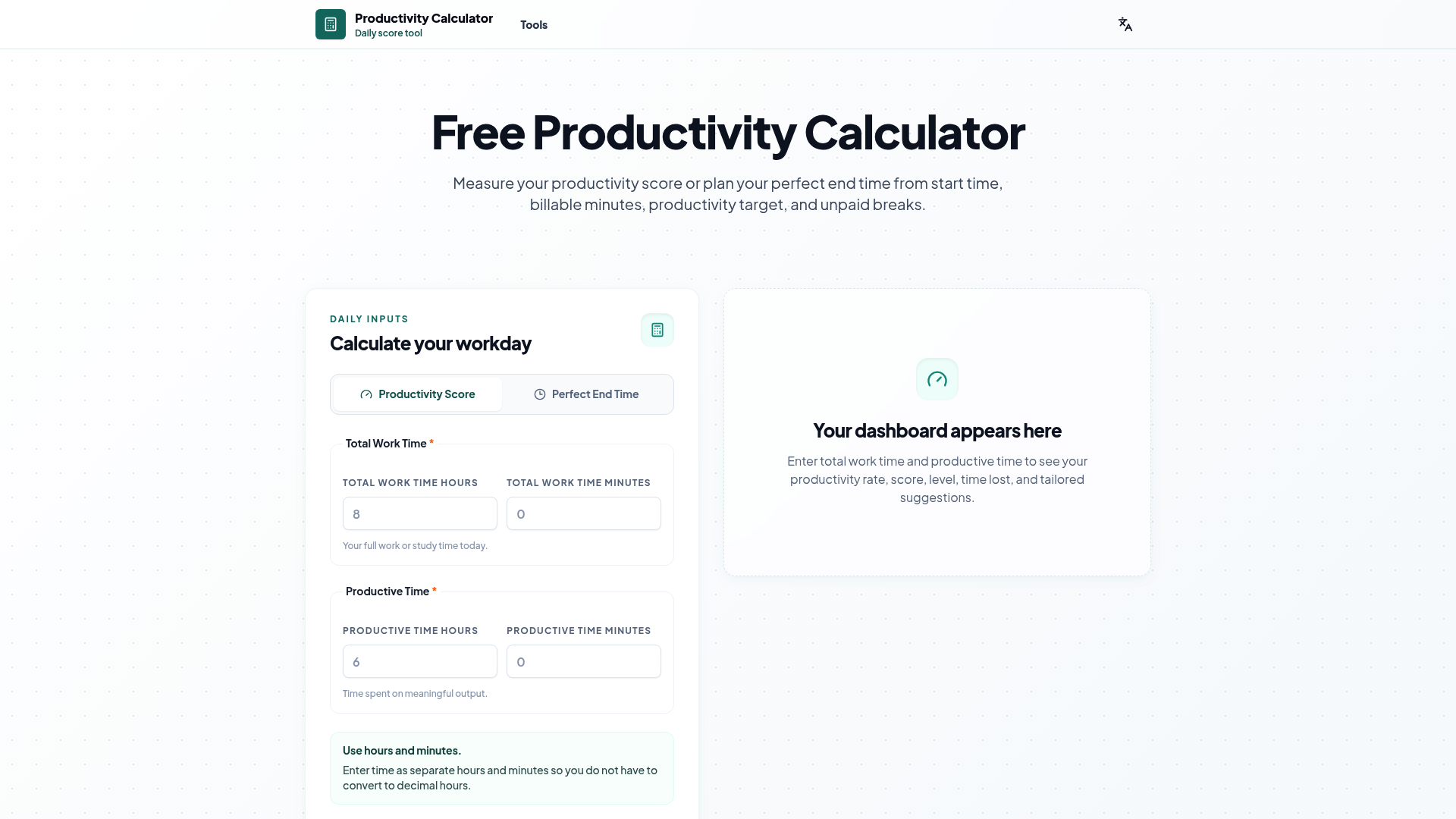
The productivity calculator includes two main modes: Productivity Score and Perfect End Time. Productivity Score mode lets you enter your total work time and productive time, then calculates your productivity rate, productivity score, productivity level, time lost, and tailored suggestions.
Perfect End Time mode helps you plan your day from the opposite direction. You can enter your start time, billable minutes, productivity target, and optional unpaid break. The productivity calculator then estimates the total time you need to work and the time you can expect to finish.
Another helpful feature is the separate hour and minute input. This makes the productivity calculator easier to use because you do not need to convert 4 hours and 30 minutes into decimal hours. You can simply enter hours and minutes as you naturally think about time.
The productivity calculator also explains the core productivity formula clearly:
Productivity Rate = Productive Time / Total Work Time × 100
For planning your perfect end time, the productivity calculator uses:
Total Time Worked = Billable Minutes ÷ Productivity Target
These simple calculations make the productivity calculator transparent, easy to trust, and useful for daily work tracking.
Use cases of productivity calculator
The productivity calculator can be used in many real work and study situations. A remote worker might use it at the end of the day to compare total working hours with deep work time, meetings, and distractions. A student might use the productivity calculator to measure how much of a study session was truly focused.
For example, a freelancer who works 8 hours but spends 6 hours on client deliverables can use the productivity calculator to see a 75% productivity rate. This gives them a clear view of whether the day was profitable and focused.
Another example is a student preparing for exams. If they study for 4.5 hours but only stay focused for 3 hours, the productivity calculator shows a 66.7% productivity score. That result can help the student adjust breaks, reduce distractions, or schedule shorter focus blocks.
The main target users include remote workers, students, consultants, freelancers, productivity enthusiasts, team leads, and anyone who wants a clear daily productivity rate without complex software.
How to use productivity calculator
Using the productivity calculator is simple. First, open the tool and choose the mode that matches your goal. If you want to measure your day, choose Productivity Score. If you want to plan when you can finish, choose Perfect End Time.
For Productivity Score mode, enter your total work time in hours and minutes. Then enter your productive time in hours and minutes. The productivity calculator will calculate your productivity rate, score, level, time lost, and suggestions.
For Perfect End Time mode, enter your start time, required billable minutes, target productivity percentage, and any unpaid break time. The productivity calculator will estimate your total work time and expected end time.
New users can start with the basic inputs first. After that, they can explore advanced options such as meeting time, distraction time, breaks, and deep work time to better understand how their day is structured.
Advantages of productivity calculator
The biggest advantage of this productivity calculator is clarity. It does not overwhelm users with complex dashboards. Instead, it focuses on the key question: how much of your total time became meaningful output?
The productivity calculator is also beginner-friendly. Because it uses separate hour and minute fields, users do not need spreadsheet formulas or decimal conversions. This makes the tool faster and easier for everyday use.
Another advantage is that the productivity calculator supports both review and planning. Many tools only track what already happened, but this productivity calculator can also estimate a perfect end time based on billable time and a productivity target.
The productivity level system is also helpful. Scores from 0–39% indicate very low productivity, 40–59% means low productivity, 60–74% means average productivity, 75–89% means good productivity, and 90–100% means excellent productivity. These levels make the productivity calculator more actionable than a raw percentage alone.
Privacy is another benefit. By default, the productivity calculator does not save your data. If you enable a remember settings option, selected inputs are stored locally in your browser on your device.
Pricing structure of productivity calculator
This productivity calculator tool is completely free to use. Users can calculate productivity score, productivity rate, time lost, productivity level, and perfect end time without paying for a subscription.
Because the productivity calculator is free, it is suitable for individuals who want a quick daily workday calculator, students who need a simple study productivity calculator, and freelancers who want to understand billable time more clearly. There is no complex pricing plan required for basic use.
FAQs about productivity calculator
What is productivity calculator used for? A productivity calculator is used to measure how much of your total work time was actually productive. It helps you calculate productivity rate, score, level, and time lost.
Is productivity calculator free to use? Yes. This productivity calculator is free to use and is designed for quick daily productivity tracking without complicated setup.
How does productivity calculator calculate my score? The productivity calculator divides productive time by total work time, then multiplies the result by 100. For example, 6 productive hours out of 8 total hours equals 75%.
What is a good productivity score? In this productivity calculator, 75–89% is generally considered good productivity, while 90–100% is excellent. Lower scores are not failures; they are signals to reduce distractions or improve focus.
Can I use productivity calculator for studying? Yes. Students can use the productivity calculator by entering total study time as total work time and focused study time as productive time.
Does productivity calculator save my data? By default, the productivity calculator does not save your data. If you turn on remember settings, selected inputs may be stored locally in your browser on your device.