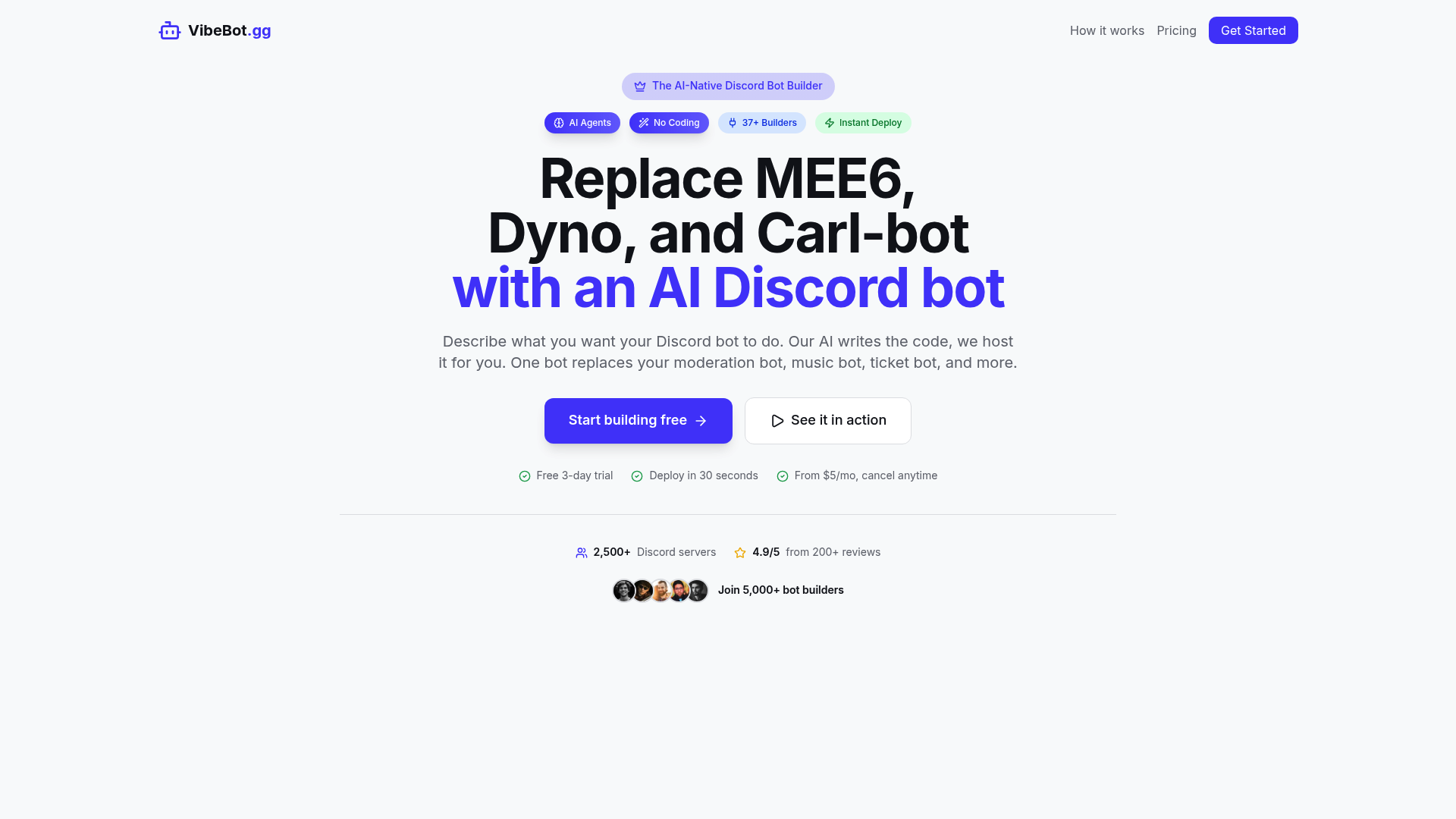
What is vibebot
vibebot is an AI-native Discord bot builder designed for server owners, creators, moderators, gaming communities, and online teams that want a custom Discord bot without writing code. Instead of manually setting up Discord.js, hosting, permissions, commands, and integrations, vibebot lets users describe what they want in plain English and turns that request into a working bot.
The main idea behind vibebot is simple: one custom bot can replace several separate Discord bots, such as moderation bots, music bots, ticket bots, economy bots, leveling bots, and AI chatbots. For users who do not want to manage code, servers, or complex dashboards, vibebot provides a faster way to build, configure, and deploy a bot that fits their community.
vibebot is especially useful for communities that want more ownership and flexibility. Instead of relying on a shared public bot with generic branding, vibebot allows users to run their own Discord application with their own name, avatar, behavior, and server-specific features.
Core features of vibebot
One of the strongest features of vibebot is its AI-powered setup flow. Users can type requests such as “create a welcome bot,” “add AI moderation,” or “build a ticket system,” and vibebot generates the required bot logic. This makes vibebot practical for beginners while still useful for advanced server owners who want custom behavior.
vibebot also includes 37+ builders for common Discord bot needs. These builders cover welcome messages, role assignment, moderation, tickets, giveaways, forms, reaction roles, leveling systems, music playback, economy systems, and more. Because these features are combined inside one platform, vibebot can reduce the need to install and manage multiple bots.
Another major part of vibebot is its autonomous AI agents. vibebot offers AI moderation, AI auto-responses, AI ticket handling, AI chat personas, dynamic AI commands, and AI event filtering. These tools are designed to understand context instead of only reacting to simple keywords.
For community engagement, vibebot supports AI roleplay and custom bot personalities. A server owner can create a mascot, assistant, companion, or character that chats with members. vibebot can remember conversations by user or channel, respond through mentions or keywords, and apply built-in safety controls.
vibebot also provides managed 24/7 cloud hosting. Users do not need to rent a server, configure Node.js, monitor uptime, or handle scaling. The bot is deployed through the platform, and vibebot manages the infrastructure behind it.
Integration support is another important feature. vibebot connects with popular services such as OpenAI, Spotify, YouTube, Twitch, Steam, GitHub, Notion, Stripe, Reddit, and more. This makes vibebot suitable for gaming servers, creator communities, support communities, SaaS communities, and membership-based Discord servers.
Use cases of vibebot
vibebot is useful for Discord communities that want automation, engagement, and moderation without hiring a developer. A gaming server can use vibebot to create matchmaking queues, Elo ranking, 1v1 challenges, XP rewards, role rewards, and automated moderation. A creator community can use vibebot for welcome flows, ticket support, announcements, AI chat, music, giveaways, and analytics.
For example, a gaming community owner could use vibebot to build a complete moderation and ranking system. The bot can welcome new members, assign roles, detect toxic behavior, warn or mute users, log moderation actions, and track competitive rankings. Instead of combining multiple tools, vibebot helps the owner manage everything through one custom bot.
A second example is a paid community or SaaS support server. The team can use vibebot to create category-based support tickets, auto-assign tickets to the right team role, answer common questions with an AI ticket handler, and save transcripts for future review. In this case, vibebot helps reduce manual support work while improving response speed.
The main target users of vibebot include Discord server owners, moderators, streamers, creators, gaming communities, startup teams, SaaS founders, community managers, and freelancers who manage online communities for clients.
How to use vibebot
Getting started with vibebot is designed to be simple. A new user can sign in with Discord, connect a server, describe the bot they want, and let vibebot generate the setup. For common needs, users can also begin with templates such as moderation, music, tickets, AI chat, welcome messages, or leveling.
A typical workflow with vibebot looks like this:
- Sign in with Discord.
- Connect the Discord server.
- Describe the bot feature in plain English.
- Let vibebot generate the bot logic.
- Review or customize the configuration.
- Deploy the bot to the server.
- Continue adjusting features with slash commands or natural language.
vibebot also supports configuration without constant dashboard switching. Server admins can enable features, change settings, and manage behavior through Discord commands or natural language instructions. This makes vibebot easier to use during live community management.
Once the basic bot is running, users can explore advanced vibebot features such as AI personas, AI moderation rules, smart ticket handling, integrations, analytics, command customization, extra bot slots, and wallet-based AI chat credits.
Advantages of vibebot
The first major advantage of vibebot is speed. Traditional Discord bot development can take hours or days because users need to set up a Discord application, write code, configure intents, manage hosting, and debug errors. vibebot shortens this process by turning plain-language requests into deployable bot features.
The second advantage of vibebot is ownership. Many popular Discord bots are shared public bots, meaning the bot identity belongs to the platform. With vibebot, users can create and manage their own Discord application, including the bot name, avatar, branding, token, data, and behavior.
Another advantage is consolidation. A single vibebot setup can replace multiple tools for moderation, music, tickets, forms, leveling, role management, AI chat, and analytics. This helps reduce clutter in a Discord server and gives admins one place to manage automation.
vibebot also stands out through AI agents. Instead of only providing static commands, vibebot can support context-aware AI moderation, AI auto-responses, AI ticket triage, and AI chat personas. For active communities, this can make moderation and support feel more responsive.
User experience is another strong point. vibebot is built for no-code users, so server owners do not need to understand Discord.js, hosting, OAuth flows, or infrastructure. At the same time, vibebot still offers enough flexibility for more complex communities that need custom logic and integrations.
From a cost perspective, vibebot is positioned as an accessible tool for small and growing communities. Its entry-level pricing makes it easier for new server owners to keep a custom bot online without paying for separate hosting, developer time, and multiple premium bots.
Pricing structure of vibebot
vibebot uses a subscription-based pricing structure with a short trial and paid monthly plans. The free trial gives users full access for 3 days, including one bot, all builders, AI agents, integrations, cloud deployment, and limited analytics. This makes it easier to test vibebot before committing to a monthly plan.
The Lite plan is designed for users who want an affordable way to keep one bot running. It includes cloud deployment, all builders, integrations, AI chat personas, roleplay features, and AI chat credits at signup. This plan is suitable for small communities, creators, and server owners who need essential automation.
The Pro plan is better for users who want more advanced vibebot capabilities. It includes monthly AI credits, access to all builders, AI agents, integrations, cloud deployment, 30-day analytics, priority support, and the option to add extra bots for an additional monthly fee.
In general, vibebot pricing is best understood as a mix of subscription hosting and usage-based AI chat credits. Users who only need standard automation may use fewer AI credits, while communities that rely heavily on AI personas, AI responses, or AI support features may need wallet top-ups.
FAQs about vibebot
What is vibebot used for?
vibebot is used to build, deploy, and host custom Discord bots without coding. It can help with moderation, welcome messages, tickets, music, economy systems, leveling, role management, AI chat, and server automation.
Is vibebot free to use?
vibebot offers a short trial so users can test the platform before choosing a paid plan. After the trial, vibebot is available through monthly plans that include cloud hosting and bot-building features.
Does vibebot require technical skills?
No. vibebot is designed for no-code users. You can describe what you want in plain English, and vibebot generates and deploys the bot features for your Discord server.
What makes vibebot different from MEE6, Dyno, or Carl-bot?
vibebot focuses on custom bot ownership, AI-powered setup, autonomous AI agents, and managed hosting. Instead of using a shared public bot, vibebot lets you run your own branded Discord bot.
Can vibebot replace multiple Discord bots?
Yes. vibebot can combine moderation, tickets, music, leveling, reaction roles, economy features, AI chat, forms, analytics, and integrations into one custom bot.
Can I use vibebot for commercial communities?
Yes. vibebot can be used for creator communities, gaming servers, SaaS support servers, paid communities, and business Discord servers that need automation, moderation, support, and engagement tools.