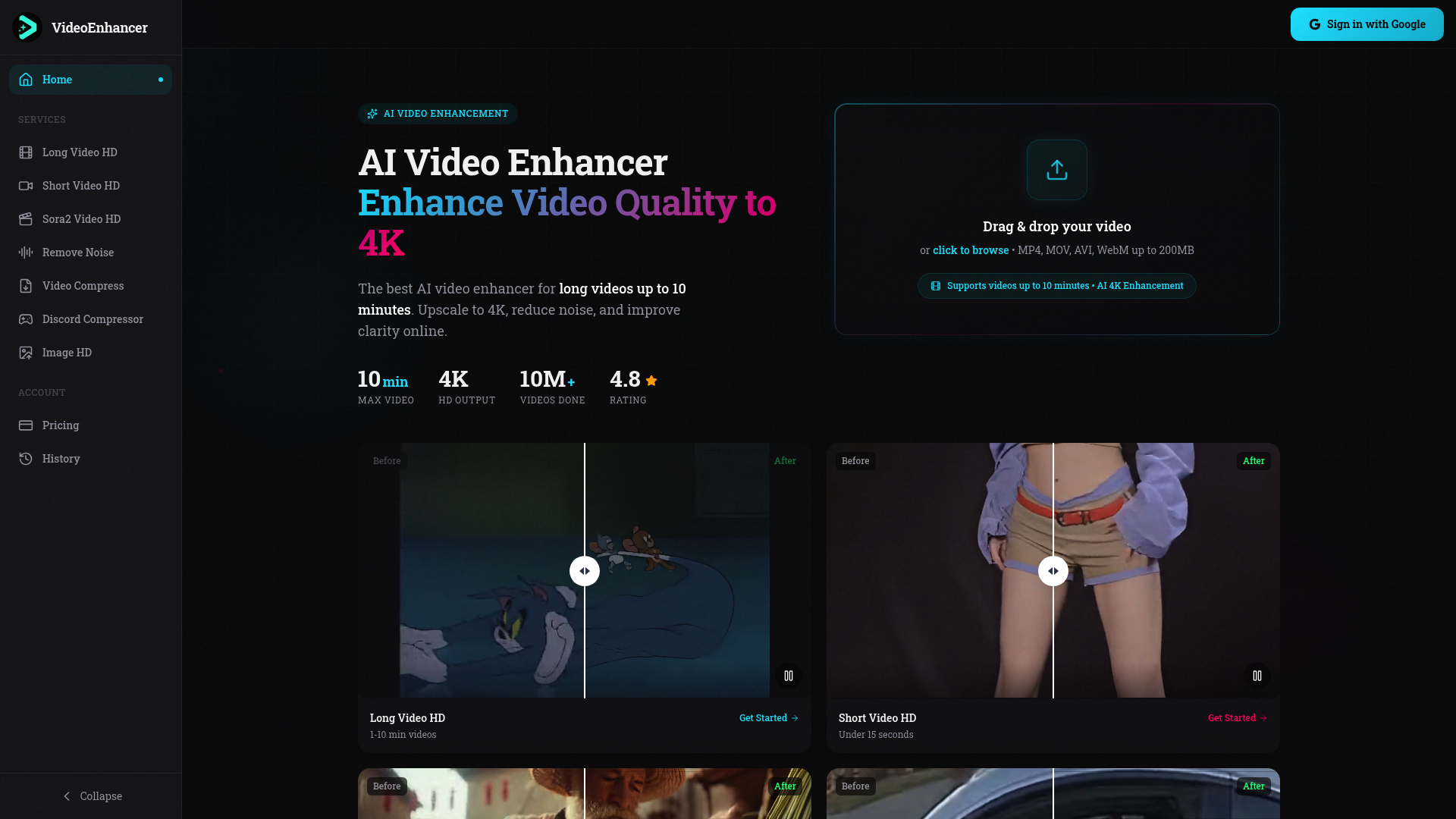
What is videoenhancer
Videoenhancer is a cutting-edge online platform designed to transform low-resolution footage into high-definition masterpieces. As a specialized video enhancer, it leverages advanced artificial intelligence to bridge the gap between amateur recordings and professional-grade visuals. Whether you are dealing with grainy phone footage or compressed old files, this video enhancer provides a seamless solution to restore lost details and enhance overall sharpness.
This powerful video enhancer is particularly unique because it caters to both short-form clips and long-form content, supporting files up to 10 minutes in length. By using this video enhancer, creators can ensure their stories are told with the highest visual fidelity possible, making it an essential tool for anyone looking to maintain a high standard of quality in the digital age.
Core features of videoenhancer
The suite of tools provided by this video enhancer covers every aspect of visual improvement:
- AI 4K Upscaling: The primary function of this video enhancer is to boost resolution. It intelligently fills in pixels to turn 1080p or 720p footage into stunning 4K.
- Long Video Support: Unlike many competitors, this video enhancer can process videos up to 10 minutes long, making it ideal for vlogs and tutorials.
- Noise & Grain Reduction: If your footage was shot in low light, the video enhancer removes digital artifacts and grain without blurring the essential textures.
- Frame Interpolation: This video enhancer feature allows users to smooth out motion by increasing the frame rate to 60fps, giving a cinematic feel to every shot.
- Sora2 Video HD: A specialized mode within the video enhancer specifically tuned to improve the quality of AI-generated videos, ensuring they look realistic and polished.
- Color Correction: The video enhancer automatically balances exposure and boosts color vibrancy to make images pop.
Use cases of videoenhancer
There are numerous scenarios where a professional video enhancer becomes an indispensable asset:
- UGC Content Creation: Social media influencers use the video enhancer to upgrade raw mobile uploads before posting to platforms like YouTube or TikTok, ensuring a premium look that attracts more viewers.
- E-commerce Marketing: Businesses use the video enhancer to sharpen product demonstration videos, making their merchandise look more appealing and trustworthy to potential customers.
- Legacy Video Restoration: Individuals can use the video enhancer to breathe new life into old family videos or archival footage, preserving memories in 4K clarity.
- AI Video Polishing: Creators working with generative AI tools use this video enhancer to fix the common blurring or "hallucination" artifacts found in AI-generated clips.
How to use videoenhancer
Getting professional results with this video enhancer is a straightforward three-step process:
- Upload Your File: Start by dragging and dropping your video into the video enhancer interface. It supports MP4, MOV, AVI, and WebM formats up to 200MB.
- Select Enhancement Mode: Choose the specific video enhancer tool you need, such as Long Video HD or Noise Reduction, and select your target resolution (e.g., 4K).
- Process and Download: Let the video enhancer AI analyze and rebuild your video frame-by-frame. Once finished (usually within 15 minutes for long clips), you can download your clean, high-quality file.
Advantages of videoenhancer
Choosing this video enhancer offers several distinct benefits over traditional editing software:
- Efficiency: This video enhancer uses parallel processing, allowing a 10-minute video to be fully enhanced in under 15 minutes.
- No Technical Skills Required: You don't need to be a professional colorist or editor; the video enhancer handles all the complex math and adjustments automatically.
- Privacy First: Security is a priority for this video enhancer. All files are encrypted and automatically deleted from the servers after 24 hours.
- All-in-One Toolkit: From stabilization to audio denoising, it is a comprehensive video enhancer that addresses both visual and auditory quality in one place.
Pricing structure of videoenhancer
This video enhancer offers flexible plans to suit different needs:
- Starter Plan: At $9/month, this is perfect for casual users, offering 50 credits and 1080p output.
- Pro Plan: The most popular choice for creators at $29/month, providing 200 credits, 4K output, and priority processing.
- Enterprise: Custom pricing for teams requiring unlimited credits, 8K output, and API access for high-volume video enhancer tasks.
- Free Trial: New users can test the video enhancer with 3 free credits to experience the quality firsthand.
FAQs about videoenhancer
What is the maximum video length for this video enhancer? You can process videos up to 10 minutes long, which is significantly higher than most online video enhancer tools.
Does the video enhancer leave a watermark? No, the video enhancer provides clean, professional output without watermarks for paid users, making it ready for immediate sharing.
Is videoenhancer free to use? You can start using the video enhancer for free with 3 initial credits to test the AI capabilities before subscribing.
Can this video enhancer fix shaky footage? Yes, the video enhancer includes a dedicated Video Stabilizer tool designed to remove camera shake and create smooth motion.
What formats does the video enhancer support? The video enhancer supports all major formats including MP4, MOV, and AVI, and outputs the final result in high-quality MP4.
How does the video enhancer protect my privacy? Every file processed by the video enhancer is encrypted and set to auto-delete within 24 hours to ensure your data remains private.